ShopGrow

Auto repair work order template

Create a work order with the customer concern, technician, parts and labor. Show or hide prices, then download a PDF with a sign off line.

Your shop

Saved in this browser only

Work Order details

Customer

Vehicle

Customer concern

Parts

Labor

Notes

Preview

Your Shop Name

Work Order

No. WO-1001

11/12/2026

Customer

-

Vehicle

-

Parts and labor you add show up here.

Customer signature
Date

Made with ShopGrow, shopgrowapp.com

Work Order

Quick answer

An auto repair work order is the job sheet a technician works from: the customer concern, the vehicle, the assigned tech, the parts and labor, and a sign off line. Make one above, with or without prices, and download the PDF for free.

How it works

  1. 1Add your shop details once. They are saved for next time.
  2. 2Write the customer concern and pick the technician.
  3. 3Add parts and labor, and choose whether to show prices.
  4. 4Download the PDF for the bay, or print it for the customer to sign.

What you get

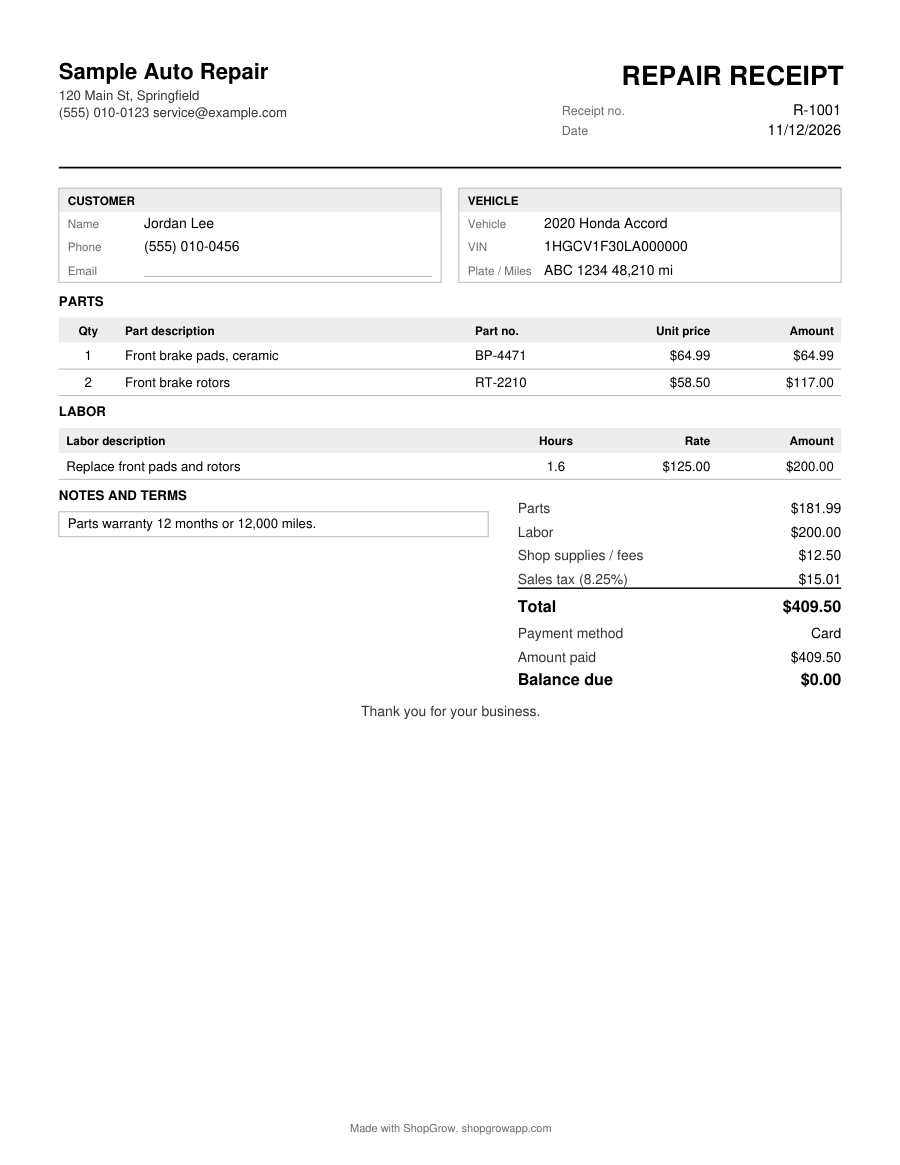
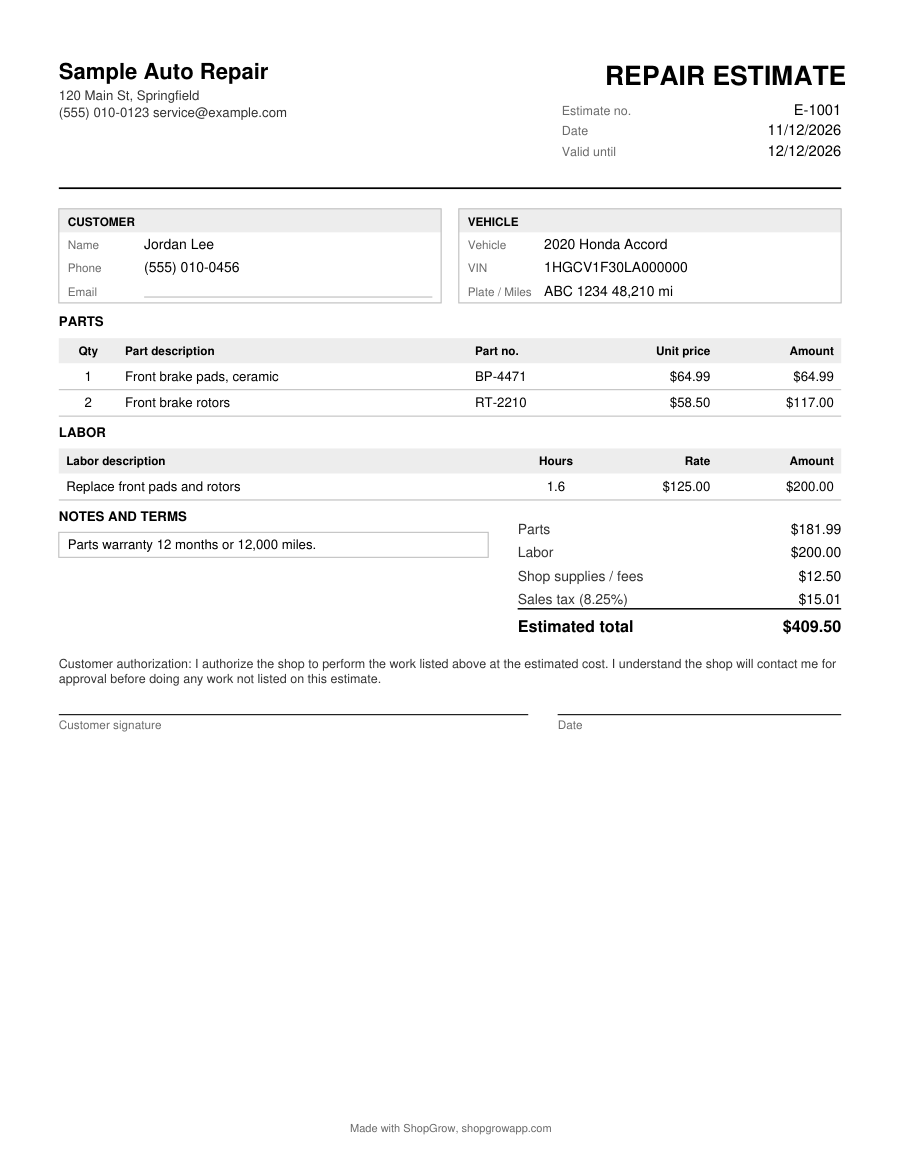
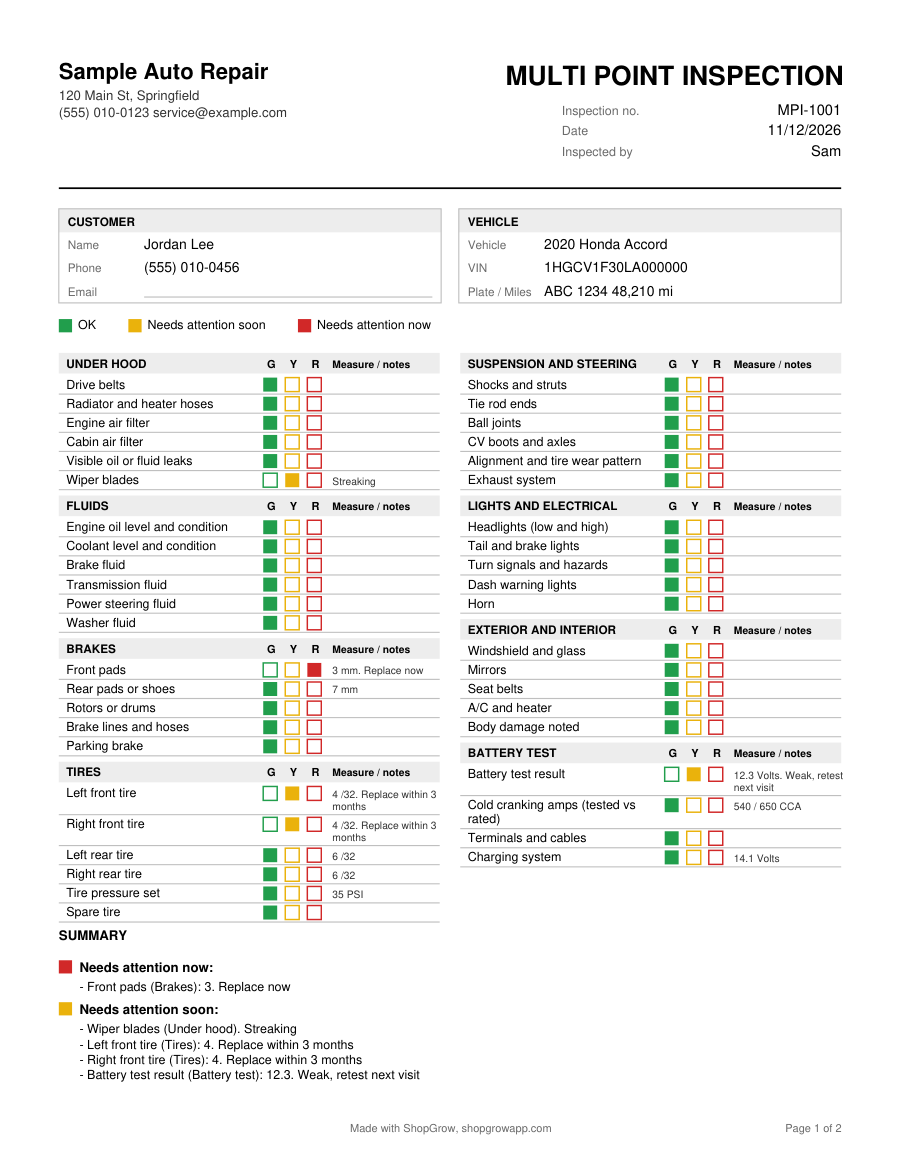
Real pages from this tool, with sample details. Tap one to see it full size.

Prefer to fill it in by hand?

Print the blank PDF. Free, no email needed.

Blank auto repair work order (PDF)

Want it in Word or Excel?

The Starter Kit has all 7 forms as editable Word and Excel files, with the math built into Excel. $29 one time.

See the Starter Kit

What to put on a mechanic work order

The work order follows the vehicle through your shop. Your service writer starts it, your technician works from it, and it becomes the base for the invoice. Include:

  • Work order number, date and the technician assigned
  • Customer name and the best way to reach them during the day
  • Vehicle year, make, model, VIN, plate and mileage in
  • The customer concern in their own words
  • Parts used, with part numbers
  • Labor steps and hours
  • Notes, such as "customer waiting" or "call before extra work"
  • The customer's signature authorizing the work

Write the concern in the customer's words

"Grinding noise from the front when braking, worse in the morning" is more useful than "check brakes". It tells the tech what to test and lets you confirm on the road test that the exact concern is fixed. When the customer describes a noise, ask when it happens, where it comes from, and how long it has been going on.

A filled example

WO-1001, assigned to Sam. Customer concern: grinding from the front when braking. Vehicle: 2015 sedan, 142,300 miles. Sam inspects and finds front pads at 2 mm and scored rotors. Parts: front pads and two rotors with part numbers. Labor: replace front pads and rotors, 1.6 hours. Note: customer approved by phone at 10:40. The work order is then turned into an invoice with the receipt and invoice maker at pickup.

Common work order mistakes

  • No mileage in. You need it for warranty, service reminders and to spot odometer problems.
  • No technician name. If a comeback happens, you want to know who did the job.
  • Starting without approval. Get the signature, or note the time and method of approval, before work begins.
  • Parts used not written down. Missing parts on the work order become missing money on the invoice.

Pair it with an inspection

Many shops run a multi point inspection on every work order. It finds needed work early, gives the customer a clear picture, and makes the next estimate easy to write.
Questions shop owners ask

What is an auto repair work order?

A work order, also called a repair order, is the job sheet for a vehicle in your shop. It records what the customer reports, what the technician should check or fix, who is doing the work, and the customer's permission to start.

Do I need prices on a work order?

Not always. Some shops keep prices off the copy the technician sees. The maker has a switch to show or hide prices. Hide them for a tech sheet, show them when the work order doubles as the customer's approval.

What is the difference between a work order and an estimate?

An estimate is for the customer and is about price. A work order is about the job: the concern, the technician, the steps and the parts used. Many shops write an estimate first, then a work order once the customer approves.

Should the customer sign the work order?

A signature shows the customer allowed you to work on the vehicle. The PDF includes an authorization line for that. Check your state's rules on written authorization, since they differ.

Can I use this on a phone or tablet?

Yes. The maker works in any modern browser, including phones. Your shop details are remembered on that device.

More free shop tools

This is a general template, not legal or tax advice. Check the rules for your state.